Smart piles
See what's taking space before you touch anything
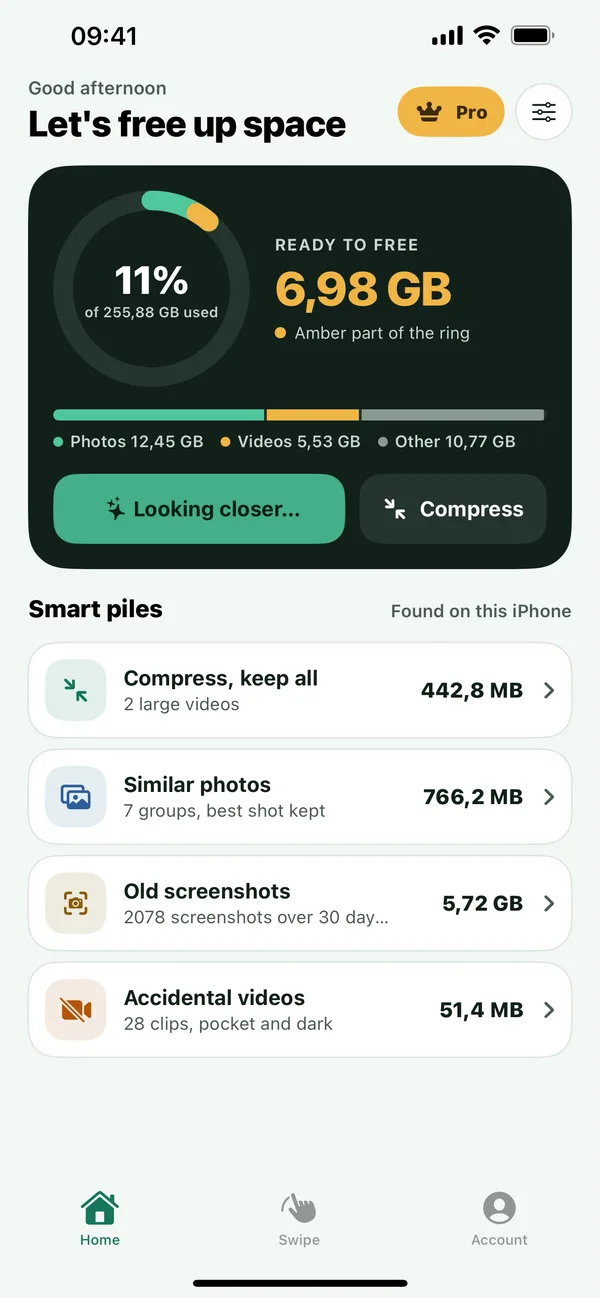
One scan sorts your library into piles you can act on. The ring shows how much is ready to free, and every pile says why it's there.
- Similar photos, with the best shot kept
- Screenshots older than 30 days
- Accidental videos: pocket shots and dark clips
- Large videos that can shrink instead of go
Compress
Shrink, don't delete
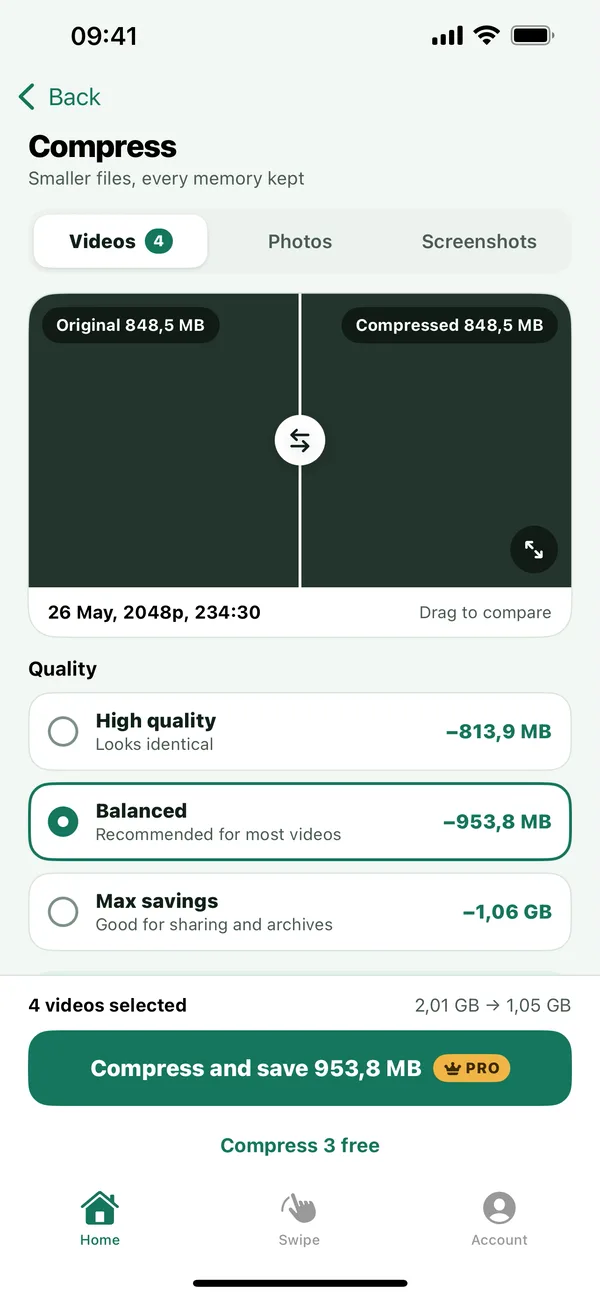
Make big videos smaller and keep every one. Drag the slider to compare the original with the compressed copy before anything is saved.
High quality
Looks identical
Balanced
Recommended for most videos
Max savings
Good for sharing and archives
Compress 3 videos free. Unlimited with Pro.
Swipe review
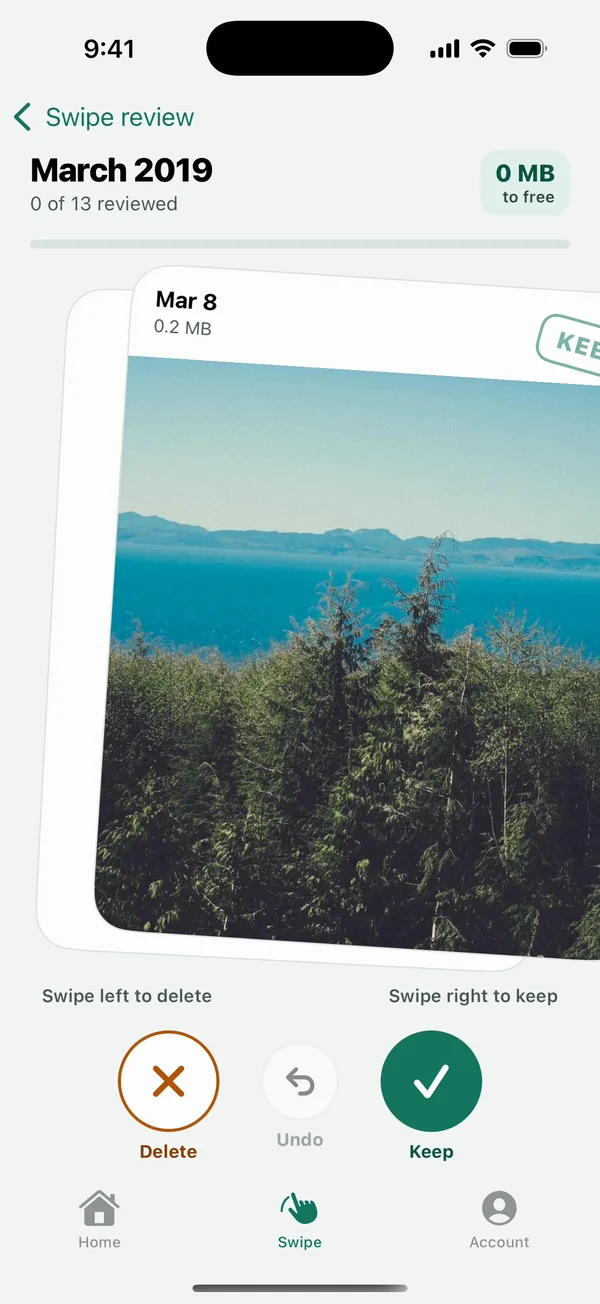
Clear your camera roll a month at a time
Search any month or year, even ten years back, then swipe: keep what matters, clear what doesn't. Changed your mind? Undo brings it straight back.
 Watch the demo
Private by design
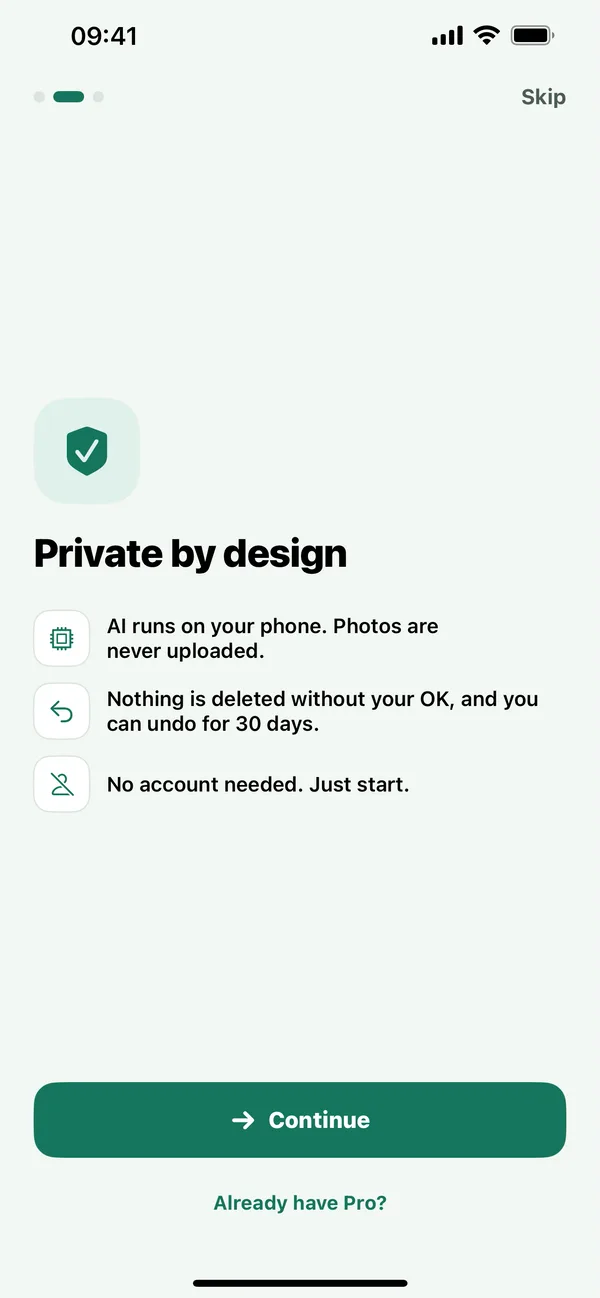
Your photos stay on your phone
-
On-device AI
Scanning, grouping and best-shot picks run on your phone. Photos are never uploaded.
-
You stay in control
Nothing is deleted without your OK, and you can undo for 30 days.
-
No account, no ads, no tracking
There's nothing to sign up for and no server of ours to send data to. On iPhone, no data is collected at all.
Small things that keep it light
Weekend reminders
A gentle nudge on Saturday at 10:00, never at night. Skipped when there's less than 500 MB to free.
Phone and tablet
iPhone and iPad on iOS 17 or later. Android phones and tablets on Android 8.0 or later.
Pro stays with you
Pro belongs to your Apple ID or Google account. Restore it on a new phone from Account.
Pricing
Free to start. Pro when you want more.
Clear prices, no weekly plans and no fake urgency.
Free
$0
Everything you need to see and clear space
- Smart scan and piles
- 50 cleanups a day
- Compress 3 videos
- Swipe review
Pro
Try free for 3 days- Yearly3-day free trial $29.99 a year
- Monthly3-day free trial $4.99 a month
- LifetimePay once, no trial $49.99 once
- Everything in Free
- Unlimited cleanups
- Unlimited video compression
- Best-shot picks
Prices in USD; local prices vary. Yearly and Monthly start with a 3-day free trial for new subscribers, then renew automatically unless you cancel at least 24 hours before the trial ends. Lifetime is a one-time purchase. Billed through the App Store or Google Play.
Questions, answered
Does Tidyroll upload my photos?
No. Scanning, grouping and best-shot picks run on your phone, and your photos and videos never leave it. Tidyroll has no servers and no analytics. On Android, Google's ML Kit library sends Google basic diagnostics such as device model and error codes, never your photos. The privacy policy has the details.
Will it delete anything without asking?
No. You confirm every cleanup, and your phone asks once more before anything goes. Deleted items go to Recently Deleted on iPhone, where you can recover them for 30 days, or to Trash on Android.
Do I need an account?
No. There's no sign-up. Pro is tied to your Apple ID or Google account, so you can restore it on a new phone or tablet.
What does Pro add?
Unlimited cleanups, unlimited video compression and best-shot picks. Free covers the full scan, smart piles, swipe review, 50 cleanups a day and 3 compressed videos. Yearly and Monthly plans start with a 3-day free trial; Lifetime is a one-time purchase.
How do I cancel Pro?
In your App Store or Google Play subscription settings. You keep Pro until the end of the period you paid for. To avoid being charged after a free trial, cancel at least 24 hours before it ends.
Which devices are supported?
iPhone and iPad on iOS 17 or later, and Android phones and tablets on Android 8.0 or later.
Still stuck? Visit support

Get your space back this weekend
Free to download. Run a scan, see what's ready to free, and decide from there.